
Meet the All-in-One Tool Replacing Your POS, Inventory App, and Accounting Software
Meet the All-in-One Tool Replacing Your POS, Inventory App, and Accounting Software
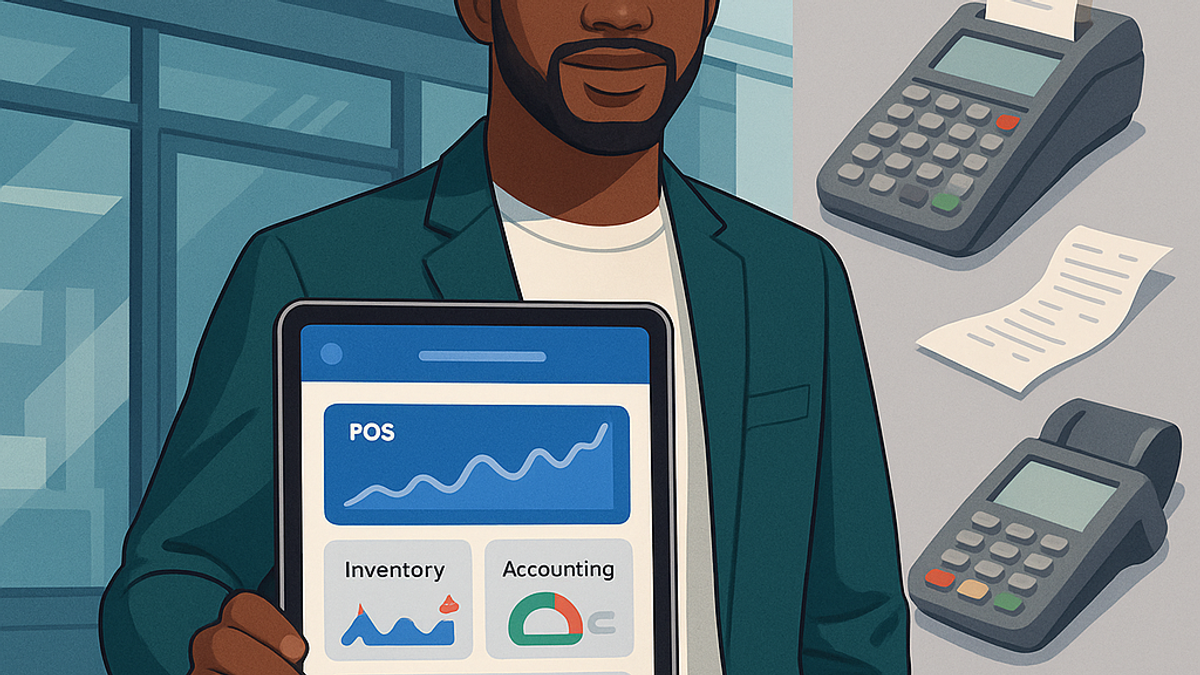
Imagine running your business without switching between five different apps. Sounds like a dream, right? That's exactly what Klakpad brings to life. This all-in-one tool is revolutionizing how small and medium-sized businesses operate by combining the power of point-of-sale (POS), inventory management, and accounting into one easy-to-use platform. Forget the days of clunky interfaces, repetitive data entry, and late-night reconciliations. Klakpad is here to simplify your operations, boost efficiency, and give you back your time.
Whether you're running a boutique retail store, a thriving café, or a service-based operation, Klakpad gives you a single dashboard to handle sales, track stock, manage your finances, and even monitor customer behavior. It’s not just software; it’s your new business partner.
Let’s dive deeper into why Klakpad might just be the smartest upgrade you’ll make this year.
Introduction to Business Management Challenges
The Growing Complexity of Running a Small Business
Running a small business today isn’t what it used to be. You’re not just a store owner or service provider anymore; you’re also a marketer, an accountant, an inventory manager, a customer service rep, and sometimes even the IT guy. The modern business landscape demands more time, more attention to detail, and more multitasking than ever.
Between handling customer inquiries, monitoring your social media, ordering supplies, checking stock levels, and making sure your financials are accurate, it’s easy to feel stretched thin and let’s be honest, when you’re trying to manage everything with disconnected tools, things fall through the cracks. Sales don’t get recorded. Inventory runs out. Receipts go missing. And before you know it, your business feels like it’s running you instead of the other way around.
Why Using Multiple Tools Can Hold You Back
Many business owners start with a patchwork of free or low-cost apps: one for sales, another for tracking inventory, maybe a third for accounting. It seems like a good idea at first-until the data doesn’t sync, reports don’t match, and you’re stuck reconciling everything manually.
Multiple tools mean multiple logins, more updates, more training, and more room for error. It also means higher costs over time, especially when you start paying for premium features across several platforms. Worst of all? These disjointed systems rob you of the one thing you can’t buy: time.
That’s where Klakpad changes the game. It brings all your business operations under one roof, eliminating the gaps, friction, and guesswork.
What is Klakpad?
A Bird’s-Eye View of the Klakpad Platform
Klakpad is an all-in-one business management platform designed to make life easier for small and medium-sized business owners. At its core, Klakpad merges POS, inventory management, and accounting into a single system that’s intuitive, powerful, and surprisingly simple to use.
But it doesn’t stop there. Klakpad also includes customer relationship management (CRM), analytics, vendor management, and even time-tracking tools for businesses with employees. It’s cloud-based, mobile-friendly, and designed to work whether you’re on-site, on the road, or working from home.
Think of it as your business command center-a single dashboard where every piece of your operation comes together. Sales data feeds directly into inventory counts. Expenses automatically update your financial reports. You can see what’s selling, who’s buying, and what needs restocking-all in real time.
Who is Klakpad Built For?
Klakpad is designed with real business owners in mind. Whether you’re running a clothing store, a café, a salon, or a small manufacturing outfit, Klakpad adapts to fit your needs. It’s particularly ideal for:
- Retail stores with fast-moving inventory
- Food & beverage businesses needing seamless order handling
- Service providers who bill by time or project
- Multi-location operations looking for centralized control
- Pop-up shops and mobile vendors who need a mobile POS
If you’re tired of switching tabs, fighting with spreadsheets, or manually transferring data between systems, Klakpad is your solution. It’s made to be your one-stop shop, no matter what you sell or where you sell it.
Unified Simplicity: Why One Tool is Better Than Three
The Hidden Costs of Juggling Multiple Systems
You might think using several specialized apps is more efficient-after all, they’re “designed” for specific tasks. But the truth is, this approach creates more problems than it solves. Consider these hidden costs:
- Time wasted syncing data manually
- Inconsistent reports due to data mismatches
- Employee training for multiple systems
- Lost productivity from system crashes or missed updates
- Paying multiple subscription fees for overlapping features
When your sales app doesn’t talk to your inventory system, and your accountant needs reports in a different format, you spend more time managing your tools than managing your business. And let’s not even talk about what happens when one of those apps goes down or stops being supported.
How Klakpad Streamlines Your Workflow
With Klakpad, everything’s connected. A sale at your register automatically adjusts your inventory, updates your financials, and even logs customer loyalty points if applicable. Need to reorder a product? Klakpad alerts you when stock is low and can even generate purchase orders with your preferred suppliers.
It’s not just about doing more, it’s about doing less while achieving more. Instead of bouncing between tabs and tools, you’re working from one interface. That means
- Faster onboarding for new staff
- Fewer errors and discrepancies
- Cleaner data and more accurate insights
- A simpler daily routine for you and your team
Klakpad isn’t just another app-it’s a better way to run your business.
Point-of-Sale Reinvented
Intuitive and Fast Checkout
At the heart of any retail or service business is the checkout experience. If your POS system is slow, clunky, or confusing, it frustrates both your staff and your customers. Klakpad offers a sleek, fast, and customizable POS system designed for speed and ease of use.
With support for barcode scanning, multiple payment types (cash, card, mobile wallets), and even split payments, Klakpad’s POS adapts to how your business works. You can process returns, apply discounts, and add notes to transactions all from a touch-friendly interface that anyone can learn in minutes.
It even works seamlessly across devices, so whether you’re using a tablet at the counter or a phone on the move, your POS stays responsive and connected.
Integrated Customer Profiles and Loyalty Tracking
Klakpad takes your POS one step further by integrating customer profiles directly into the sales flow. Each purchase can be linked to a customer, allowing you to build detailed histories that include:
- Purchase frequency
- Favorite products
- Average spend
- Visit patterns
You can use this data to create loyalty programs, personalized promotions, or targeted email campaigns-all from within the same system. Imagine rewarding your top buyers with special offers, or reminding a customer when it's time to reorder. With Klakpad, building customer relationships becomes effortless.
5 Hidden Costs Killing Your Business and How Klakpad Helps You Stop Them
Next-Level Inventory Management
Real-Time Tracking and Alerts
Inventory issues are the silent killers of small businesses. One wrong count, one missed reorder, and suddenly you're losing sales-or worse, overstocking and eating costs. Klakpad puts an end to that. It gives you real-time visibility into your stock levels across every location, channel, and supplier.
Each sale automatically updates your inventory. You can see what’s in stock, what’s running low, and what’s on order, all in one dashboard. And when inventory hits predefined thresholds, Klakpad doesn’t wait, it alerts you instantly so you never get caught off guard.
Say goodbye to pen-and-paper stock takes or disjointed Excel sheets. Klakpad tracks:
- Stock quantities by location
- Product variants (size, color, etc.)
- Batch and expiry dates (great for perishables)
- Supplier details and reorder history
This level of insight means fewer stockouts, less waste, and tighter cash flow management. You stay lean, agile, and always one step ahead.
Simplified Purchase Ordering and Supplier Management
Restocking used to be a mess. Remember juggling supplier spreadsheets, digging through old emails, or guessing what to order? Klakpad automates and simplifies the purchase order process with just a few clicks.
You can create and send POs directly from your inventory screen, using real-time data to reorder exactly what you need. Even better? Klakpad stores supplier info, pricing history, and expected delivery times, making reordering as easy as hitting "repeat."
You can also:
- Set preferred vendors by product
- Track pending and received orders
- Get alerts when a supplier’s delivery is overdue
- View past performance and pricing changes
This streamlined procurement workflow helps you negotiate better deals, avoid over-ordering, and reduce costly delays.
Accounting, Without the Headache
Built-In Invoicing and Expense Tracking
Accounting is one of those necessary evils for any business. Most people dread it, procrastinate on it, or hire someone else to do it. But with Klakpad, managing your financials becomes something you can actually look forward to.
You can create branded invoices in seconds, email them directly to clients, and track payment status from the same dashboard. Klakpad automatically matches payments with sales records, so you never have to manually reconcile again.
On the expense side, you can:
- Upload receipts by snapping a photo
- Categorize expenses by vendor, type, or project
- Track recurring bills and subscriptions
- Assign expenses to specific departments or locations
Klakpad turns accounting into a daily habit instead of a quarterly panic. That means cleaner books, faster audits, and fewer surprises during tax season.
Automatic Tax Calculations and Reports
One of Klakpad’s biggest advantages is how it handles tax. It automatically calculates your tax obligations based on the latest rates for your region. Whether it's VAT, GST, or local sales tax, Klakpad makes sure your sales records and filings stay accurate.
At the end of each month or quarter, you can generate detailed tax reports that are ready to submit or hand off to your accountant with zero extra work.
Other tax features include:
- Support for multiple tax rates per product
- Location-based tax rules
- Exemption tracking (for tax-exempt customers or items)
- Real-time tax liability reports
No more scrambling through folders for receipts or transactions. With Klakpad, your books are audit-ready at any time.
Time-Saving Features You Didn’t Know You Needed
Multi-Location Support
As your business grows, things can get complicated-especially if you’re managing multiple storefronts, warehouses, or service teams. Klakpad is built for that scale. It lets you manage inventory, sales, and staff across all your locations from a single login.
You can view stock levels per store, transfer items between sites, and generate location-specific reports. Whether you’re running two shops or a regional chain, you’ll know exactly what’s happening in each place-without ever leaving your desk.
Features that make this seamless:
- Centralized reporting
- Per-location user access
- Transfer tracking and approvals
- Multi-site product management
No more duplicate data or messy workarounds. Klakpad keeps your growing empire in sync.
Offline Mode for Uninterrupted Operations
Internet outages shouldn’t bring your business to a halt. That’s why Klakpad includes an offline mode that lets you keep selling even when the Wi-Fi drops.
Your POS continues to function, transactions are saved locally, and everything syncs automatically when the connection returns. It’s ideal for businesses in high-traffic areas, rural locations, or mobile setups like food trucks and market stalls.
Benefits of offline mode:
- Prevent lost sales during network issues
- Maintain customer trust with smooth service
- Automatically resync data with no manual work
You don’t have to worry about spotty connections anymore. With Klakpad, your business keeps moving-no matter what.
How Klakpad Helps You Grow
Actionable Insights with Smart Analytics
What if your business data could talk to you? That’s what Klakpad’s analytics dashboard does. It doesn’t just show you numbers-it tells you what they mean.
From top-selling products to customer trends and profit margins, Klakpad turns raw data into clear, actionable insights. You can track sales by day, staff performance, inventory turnover, and more-all visualized with charts and summaries that are easy to read.
These insights help you:
- Make better purchasing decisions
- Identify slow-moving stock
- Spot seasonal trends and forecast demand
- Optimize pricing and promotions
Data isn’t just for big corporations anymore. With Klakpad, it’s at your fingertips-ready to fuel your next big move.
Tools to Scale With Your Business
Every business owner dreams of growth but too often, the tools they use become barriers instead of stepping stones. Klakpad is built to scale with you. It’s modular, flexible, and constantly updated with features that adapt to your evolving needs.
Whether you’re adding new team members, opening new locations, or expanding into online sales, Klakpad grows with you. You can:
- Add new users with custom permissions
- Integrate with eCommerce platforms
- Connect to third-party apps via API
- Upgrade your plan as your needs expand
With Klakpad, you don’t outgrow your software. You grow because of it.
A Seamless User Experience
Mobile-First Design
Let’s face it, today’s business owners aren’t always tied to a desk. You’re on the floor, checking stock in the back, meeting suppliers, or even running your business remotely. That’s why Klakpad is built mobile-first. The entire platform is optimized for smartphones and tablets, so you can take full control of your operations from anywhere.
Whether you’re using iOS, Android, or any browser, Klakpad offers a consistent, smooth experience. No lag, no clunky menus-just streamlined access to your POS, inventory, financials, and reports wherever you are.
Here’s what you can do from your mobile device:
- Complete sales and issue receipts
- Track real-time inventory levels
- Review daily sales reports
- Manage staff access and user roles
- Communicate with suppliers
It’s like having your entire business in your pocket. No more waiting until you’re back in the office to make decisions. With Klakpad, you’re always connected and always in control.
Easy Onboarding and Support
Tech shouldn’t be intimidating. Klakpad is designed so that anyone-yes, even your least tech-savvy employee can get up and running in minutes. The user interface is clean, the workflows are intuitive, and built-in guides walk you through every step.
Plus, Klakpad offers multiple layers of support to make sure you’re never left in the dark:
- Step-by-step setup wizard
- Video tutorials and how-to articles
- In-app chat with real human support
- Dedicated onboarding specialists for larger businesses
Training new staff? No problem. They can be trained in less than a day. And if you hit a snag, help is just a click away. The Klakpad team is known for quick response times and customer-first service.
Security and Peace of Mind
Data Backups and Encryption
Security is non-negotiable especially when you’re handling sensitive customer data, financial records, and sales information. Klakpad takes your business security seriously, offering enterprise-grade protection without the complexity.
All data is encrypted end-to-end, stored in secure cloud servers, and backed up regularly to ensure nothing is lost. Whether there’s a hardware failure, cyberattack, or user error, you can rest easy knowing your business information is safe and recoverable.
Key security features include:
- AES-256 encryption
- SSL secure login
- Automated daily backups
- Role-based access permissions
Security isn’t something you should have to think about and with Klakpad, you won’t need to.
User Roles and Access Controls
Every business has different levels of trust and responsibility among staff. Klakpad’s user roles allow you to define exactly who sees what and who can do what.
You can set up roles for:
- Cashiers (POS only)
- Inventory managers (stock access)
- Accountants (financials only)
- Owners/Admins (full access)
This granular access prevents accidental errors, protects sensitive data, and creates accountability. If an issue arises, audit trails make it easy to trace changes and resolve problems fast.
It’s about empowering your team-without losing control.
Real Businesses, Real Results
Case Study: A Café That Doubled Its Efficiency
Mia owns a bustling café in downtown Seattle. Before Klakpad, she was using a legacy POS system, tracking inventory on paper, and handling accounting in QuickBooks. Her workflow was clunky, time-consuming, and full of gaps.
After switching to Klakpad, everything changed. She saw immediate improvements in order speed, stock management, and financial accuracy. Staff training went from days to hours, and she now uses her phone to run the café even when she’s not on-site.
Results:
- 50% reduction in stock wastage
- Sales increased by 30% due to faster service
- Bookkeeping time cut in half
Mia says, “It’s like I went from running on fumes to driving a Tesla. Everything’s smoother, faster, and just works.”
Case Study: A Retail Store That Saved Thousands
David runs a lifestyle boutique with three locations. Managing stock across stores and reconciling finances was a nightmare. Each store had a different system, and nothing synced properly.
Klakpad’s multi-location setup gave him a central view of everything. Now, transfers between stores are tracked in real time, inventory is accurate, and his accountant loves the export-ready reports.
In his first year with Klakpad, David saved over $8,000 in software fees and cut shrinkage by 40%. More importantly, he got his evenings back.
The Future of Inventory Management: Real-Time, Multi-Location, and Hassle-Free
How to Get Started with Klakpad
Setup in Minutes
One of Klakpad’s biggest selling points is how quickly you can start using it. The setup process is guided, simple, and can be completed without technical knowledge.
Here’s what setup typically looks like:
- Create your account
- Import or enter your products
- Set up tax rules and payment methods
- Connect your printer or card reader
- Start selling
You can be fully operational in under an hour. And if you’re migrating from another platform, Klakpad’s import tools make the transition painless.
Support and Training Resources
Getting started is one thing staying supported is another. Klakpad has a robust help center filled with step-by-step tutorials, FAQs, and video guides. But if you need more hands-on help, their customer support team is standing by.
They also offer:
- Live chat support (within app)
- One-on-one onboarding for new businesses
- Community forums for shared tips and advice
- Priority support for Pro and Enterprise users
Whether you’re solo or have a 20-person team, Klakpad’s support ecosystem is built to help you succeed.
Pricing and Plans
Affordable Tiers for Different Business Sizes
Klakpad believes good software shouldn’t break the bank. Their pricing model is designed to fit businesses of all sizes, from startups to growing enterprises.
Common tiers include:
What’s Included in Every Plan
Even the most basic Klakpad plan includes:
- POS system
- Inventory tracking
- Invoicing and accounting tools
- Real-time analytics
- Offline mode
- Unlimited users (with permission settings)
Higher-tier plans offer extras like API access, custom reports, and dedicated support.
You’re not just buying software-you’re investing in your business’s future.
Why Klakpad is the Future of Small Business Management
Built to Evolve
In a world where change is the only constant, you need tools that don’t just keep up-they lead the way. Klakpad isn’t a one-time solution; it’s a future-ready platform that adapts as your business and the technology landscape evolve.
Unlike legacy systems that feel stuck in the past, Klakpad’s development team is constantly improving the product based on real user feedback. New features roll out regularly, integrations expand monthly, and everything is optimized to stay ahead of the curve.
Some of Klakpad’s future-forward strengths include:
- Cloud-first infrastructure
- Seamless integration with emerging tools (like eCommerce, delivery apps, or CRM)
- Continuous performance improvements
- Mobile and IoT readiness
- AI-powered analytics on the roadmap
It’s not just a tool-it’s a living, breathing system that grows smarter and more useful over time. As your competition stagnates, you’ll be moving faster, making sharper decisions, and offering better experiences.
A Tool That Grows With You
What separates Klakpad from other platforms is its scalability. You don’t need to start over when your business grows. Whether you expand locations, add staff, diversify products, or go omnichannel Klakpad grows with you seamlessly.
Need new user permissions? Just add them. Expanding to eCommerce? Integrate in minutes. Going international? Klakpad handles multi-currency and region-specific tax settings.
Your systems should never be the thing that limits your growth. Klakpad ensures they never are.
Conclusion
Running a small or medium-sized business doesn’t have to feel overwhelming. With Klakpad, you get everything you need-point-of-sale, inventory management, accounting, analytics, customer engagement-bundled into one smart, intuitive platform.
No more switching tabs. No more missed numbers. No more frustration.
Klakpad is more than just a tool-it’s your silent partner, your second brain, and your digital back-office. It’s designed to save you time, make you money, and help you scale with confidence.
If you’ve been juggling multiple apps and feeling like you’re always a step behind, Klakpad is your sign to simplify. Replace the patchwork. Reclaim your hours. And finally, run your business your way-with everything under one roof.
FAQs
1. Is Klakpad suitable for large businesses?
Yes! While Klakpad is built with small and medium-sized businesses in mind, its robust infrastructure, multi-location support, and scalable features make it ideal for larger businesses too. Enterprise plans come with advanced permissions, reporting, and API access.
2. Can I migrate data from my old systems?
Absolutely. Klakpad supports data imports from most popular POS, inventory, and accounting systems. There are also CSV templates and step-by-step guides to help you migrate quickly and safely-with support available every step of the way.
3. What industries does Klakpad work best for?
Klakpad is versatile and works exceptionally well for:
- Retail stores (apparel, electronics, lifestyle, etc.)
- Cafés and restaurants
- Salons and wellness centers
- Pop-up shops and mobile vendors
- Service-based businesses
If you sell something or track inventory, Klakpad can help.
4. Does Klakpad work offline?
Yes! One of Klakpad’s best features is its offline mode. You can continue selling even when the internet goes down. All data is saved locally and synced automatically when you’re back online.
5. What if I need help setting it up?
Klakpad has your back. You get access to live chat, onboarding specialists, video walkthroughs, and a rich knowledge base. Whether you’re a DIY type or need guided help, there’s a solution for you.